Animated Hand-Drawn Sketch Text and Freehand Write-On Effect
By xFxDesignsOne great value subscription from $16.50/month
- Unlimited downloads of 27+ million creative assets
- AI Tools: video, image and more
- Lifetime commercial license
- Easy cancellation
- Length
- 0:10
- Resolution
- 1920 x 1080
- File Size
- 665 KB
- Application Supported
- Premiere Pro
- Required Plugin
- None required
- Commercial License
- Further Information
Description
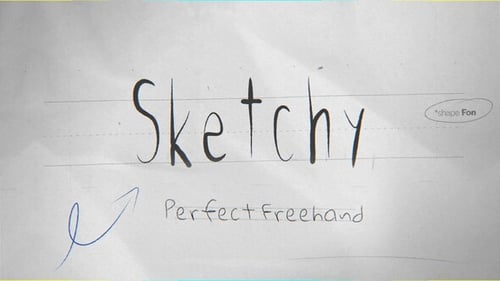
Sketch Text Write-On Tool | 7 Custom Shape Fonts with Perfect Freehand Scribble Animation
7 Sketch Rough, authentic hand-drawn fonts suited for scribble, doodle, or sketchy conceptual designs.
Animating write on Text has never been easier. Control over timing, style, and dynamic effects — all without keyframes or complex rigs.
7 Custom Write On "shape Fonts".
80 Custom Dynamic Drag And Drop Scribbles.
Type your text and animation builds automatically.
Consolidated into a Single editable vector layer.
Unique feature in Premiere Pro MOGRT that has never been done before!
Compatible with Premiere Pro CC 2023 and above.
Vector Based 100% in app (no scripts - no plugins).
Animating write on Text has never been easier. Control over timing, style, and dynamic effects — all without keyframes or complex rigs.
A powerful tool that let you fine-tune animated Scribbles without keyframes.
- Quickly adjust animation speed, delay, and easing.
- Simply Drag the Layers In Out Points To Adjust Responsive Duration.
- Enable Animate In and Animate Out with per-stroke randomness.
- Fine-tune stroke width, color, tracking, and tapering.
- Add dynamic stroke wave distortion with full control.
- No keyframes needed – everything auto animated!
- No Manual Tracing or Masking.
Custom FX Controls
Dynamics
- Speed: Speed of the animation.
- Delay: Delay between strokes or letters.
- Easings: Stop Motion, Ease Per Letter, or Uniform Ease.
- Random Order: Randomizes stroke animation order.
- Animate In: Enables entrance animation.
- Animate Out: Enables exit animation.
Properties
- Stroke Width: Controls stroke thickness.
- Stroke Color: Sets the stroke color.
- Tracking: Adjusts spacing between letters or elements.
Styling
- Taper Start: Thinning at the start of strokes.
- Taper End: Thinning at the end of strokes.
- Taper Offset: Shifts tapering across stroke.
Extra
- Wave Amount: Adds dynamic wave distortion.
- Wave Length: Controls how wide the wave is.
- Wave Phase: Offsets the wave position.